Popup Form Builder
Collect structured data before chat with configurable fields for name, email, order ID, message, and page URL.
No API Required • 100% Free
Add a floating WhatsApp button with customizable popup fields and send structured, formatted support requests directly from your WordPress pages.
WhatsApp Support
Name
Order ID
Message
We only use this information to respond to your support request.
Features
A complete communication toolkit with smart forms, dynamic variables, and full control over every detail.
Collect structured data before chat with configurable fields for name, email, order ID, message, and page URL.
Use dynamic placeholders like {name}, {email}, {order_id}, {message}, and {page_url} with clean formatting.
No third-party API or tracking scripts—just direct WhatsApp click-to-chat with lightweight performance.
Set online and away states with timezone-aware logic, including cross-midnight support and local time display.
Fine-tune button behavior and form visibility separately for desktop and mobile visitor experiences.
Use branded chat icons to keep your support widget consistent with your website identity.
Get setup in minutes and start receiving structured WhatsApp conversations.
Step 1
Install from the WordPress plugin repository.
Step 2
Set WhatsApp number, fields, business hours, and message template.
Step 3
Visitors send clean structured messages directly to WhatsApp.
Full Control
Show exactly how much customization ChatConnect gives for chat behavior, form fields, templates, and display settings.
Business Hours
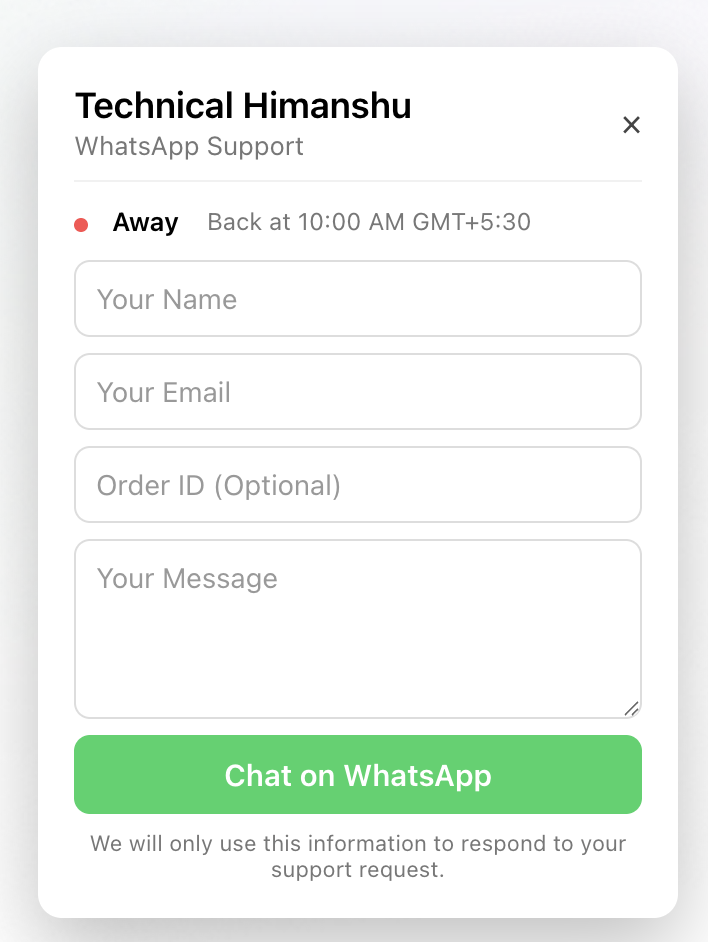
Set your business hours and timezone. The plugin automatically switches between online and away modes so visitors always know when you’re available.
Turn business hours on or off with a single toggle.
Define your daily schedule. ChatConnect handles automatic switching.
Choose your timezone so online and away timing stays accurate.
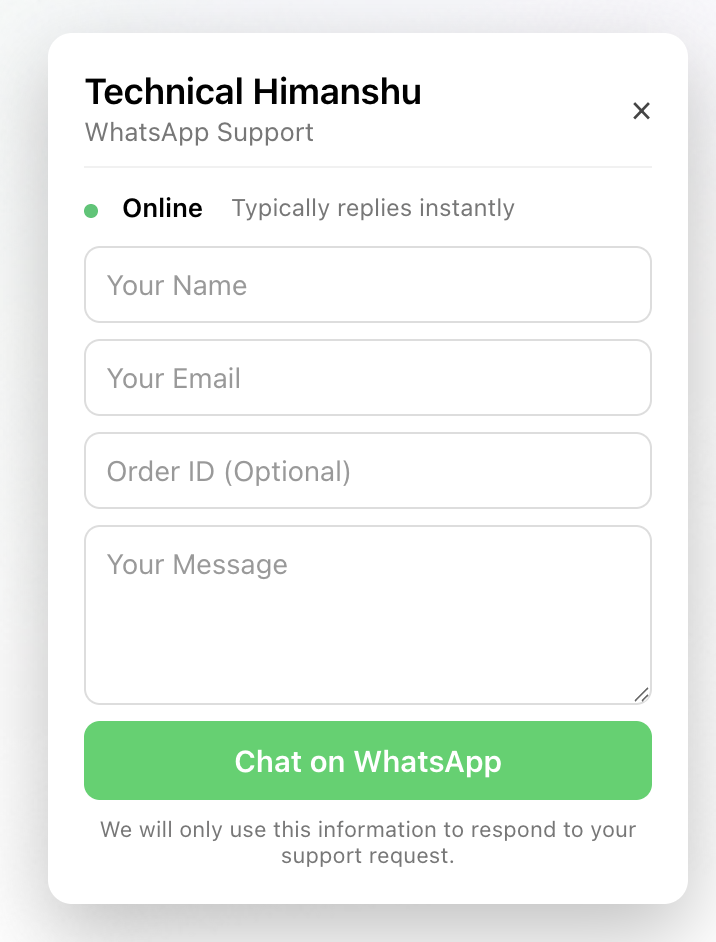
Online Mode
Typically replies instantly
Away Mode
Back at 10:00 AM
Message Templates
Use variables to build your template. If a user leaves a field empty, ChatConnect automatically removes it from the final WhatsApp message.
See exactly how your message will look on WhatsApp before saving.
Enable or disable specific placeholders in one click based on page type.
Message Template
Hello Support Team

Name: {name}
Email: {email}
Order ID: {order_id}

Message:
{message}

Page URL:
{page_url}WhatsApp Output (Order ID empty → auto-removed)
Hello Support Team

Name: Technical Himanshu
Email: support@technicalhimanshu.in

Message:
Need help with my order

Page URL:
https://technicalhimanshu.in/services
Live Demo
Toggle between online and away modes and preview the exact visitor form experience before going live.
Online mode shows instant availability so visitors know support is active.
Real feedback from Indian and international WordPress users using ChatConnect every day.

Arjun Mehta
eCommerce Manager, Mumbai
“Setup took minutes and support messages from store visitors are far cleaner now.”

Priya Sharma
Founder, Delhi Boutique
“The popup form helps us collect exact customer details before starting a WhatsApp chat.”

Rahul Verma
WordPress Developer, Bengaluru
“Lightweight plugin, quick install, and the message template builder is genuinely useful.”

Sneha Iyer
Operations Lead, Chennai
“Business hours mode is perfect for our team and customers always know when we are available.”

Daniel Clark
Support Specialist, London
“Exactly what we needed for direct WhatsApp support without extra API complexity.”

Emily Carter
Growth Consultant, New York
“Improved response quality immediately because every chat starts with proper user context.”

Liam Thompson
Agency Owner, Sydney
“Clients love the clean UI and we appreciate the reliable behavior across mobile and desktop.”

Sofia Martin
Customer Success Lead, Madrid
“The form plus smart placeholders saves us time on every single customer conversation.”

Noah Brown
Plugin Reviewer, Toronto
“Fast loading, polished visuals, and practical features that are actually useful for store owners.”

Mia Wilson
Digital Strategist, Singapore
“A dependable WhatsApp plugin with the right balance of flexibility, speed, and simplicity.”
Arjun Mehta
eCommerce Manager, Mumbai
“Setup took minutes and support messages from store visitors are far cleaner now.”
Priya Sharma
Founder, Delhi Boutique
“The popup form helps us collect exact customer details before starting a WhatsApp chat.”
Rahul Verma
WordPress Developer, Bengaluru
“Lightweight plugin, quick install, and the message template builder is genuinely useful.”
Everything you need to know before adding ChatConnect to your site.
Yes, business hours can be enabled to show online/offline status.
No. It uses official WhatsApp click-to-chat links, so there is no external API dependency.
Yes. You can control chat button position and size separately for desktop and mobile.
Yes. You can upload your own chat icon from plugin settings for brand consistency.
No. ChatConnect automatically removes empty placeholders to keep messages clean and readable.
Yes. You can use placeholders like {name}, {email}, {order_id}, {message}, and {page_url}.
Yes. ChatConnect supports mobile-specific customization and is responsive across devices.
No. The plugin is optimized to stay lightweight with minimal script overhead.
Add TechnicalHimanshu ChatConnect now and start getting cleaner, faster support and sales conversations.